


Scotch Heavy Duty Packaging Tape, Packing Tape Designed for Moving, Mailing, Shipping, and Office Supplies, Strong Seal on All Box Types, 6 Rolls/Pack with Dispensers (142-6)
]]>

-
High-def display—most definitely
Whether you’re streaming or chatting with friends, the crystal-clear HD+ Infinity Display provides 6.5″ of crisp visuals with impressive edge-to-edge viewing.³
See it in 360º
Admire Galaxy A03s from every angle.
-
-
Black
-
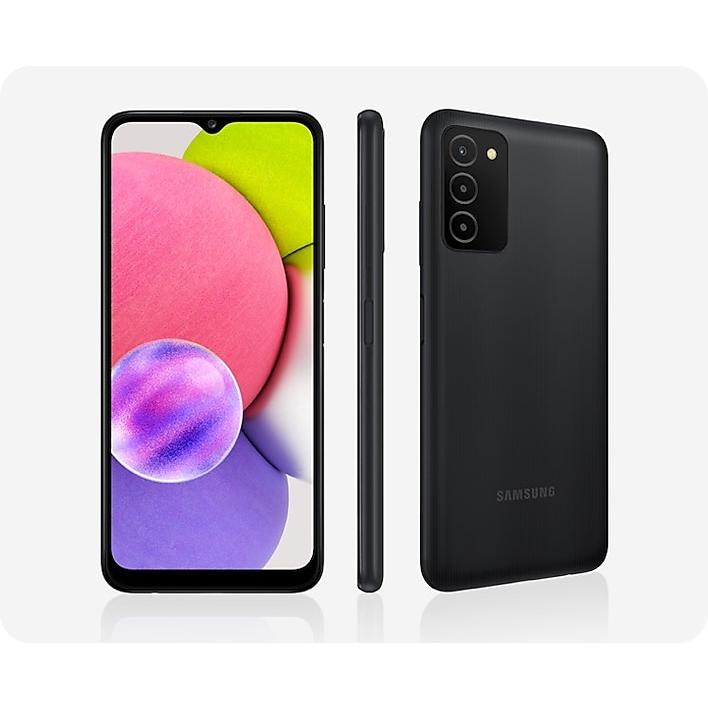
Durability meets simplicity
One of our most affordable A Series phones, Galaxy A03s is both simple and durable. The side fingerprint sensor adds extra security while keeping the design sleek and minimal.
Three lenses, triple the fun
From snapshots of your culinary masterpieces to everyday adventures and family reels, Galaxy A03s gives you a multi-lens camera to capture life’s awesome moments.
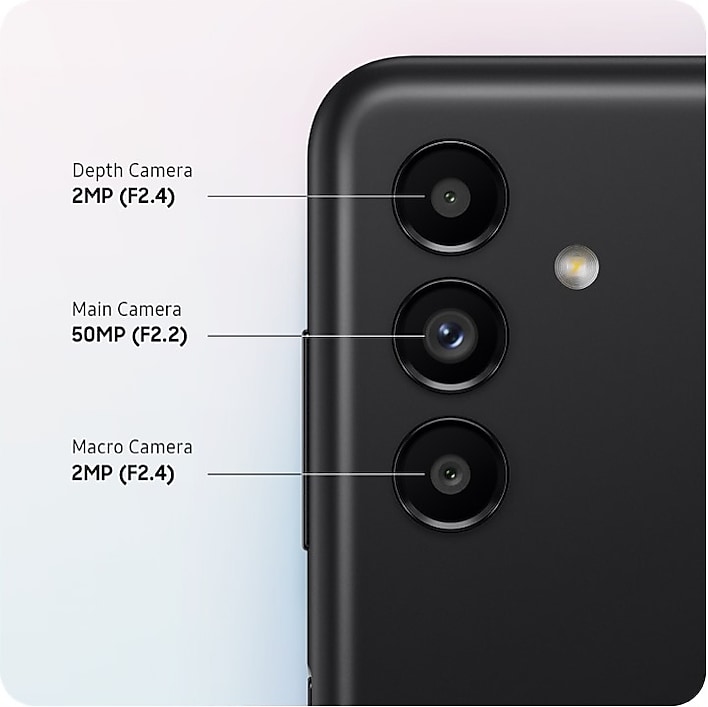

Get up close and personal
Capture the awesome details in what you love with the Macro Camera. Get in close for macro photos that pop, on your screen or in your feed.
Images simulated for illustrative purposes.
Portrait perfect
Add dimension to any pics with bokeh effects that focus the spotlight right where you want it.

Images simulated for illustrative purposes.

Upgrade your selfies
Effortless photography takes center stage with a 5MP front camera, so you can capture your favorite looks and memorable on-the-go moments.
Images simulated for illustrative purposes.
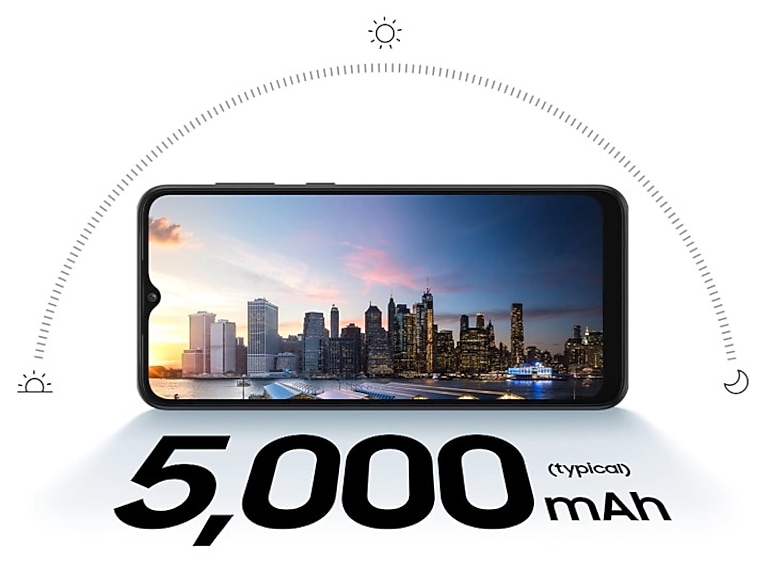
Hours and hours of power
Busy much? Galaxy A03s has the 5,000mAh battery you can rely on no matter how hectic life gets. 7.75W charging² gives you pick-me-up capacity when you need it.
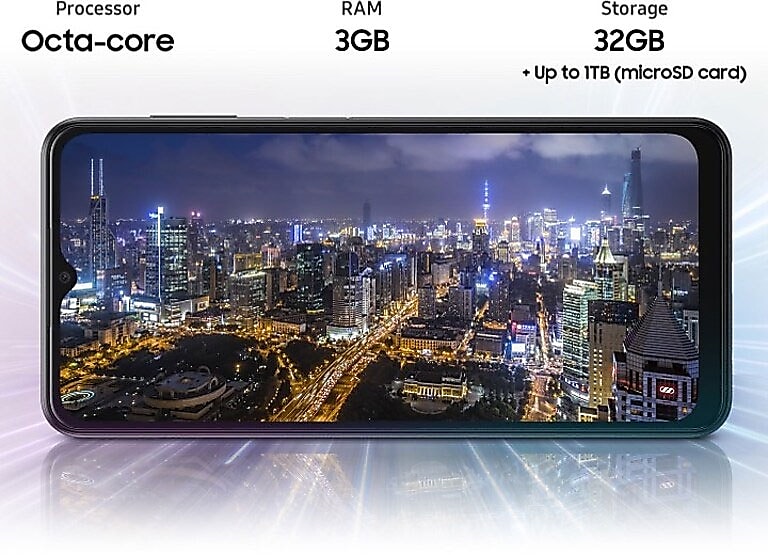
Processing speed you need. Dependability you deserve.
Galaxy A03s was designed with processing speed in mind. Its reliable processing power makes downloading, streaming and sharing a breeze.
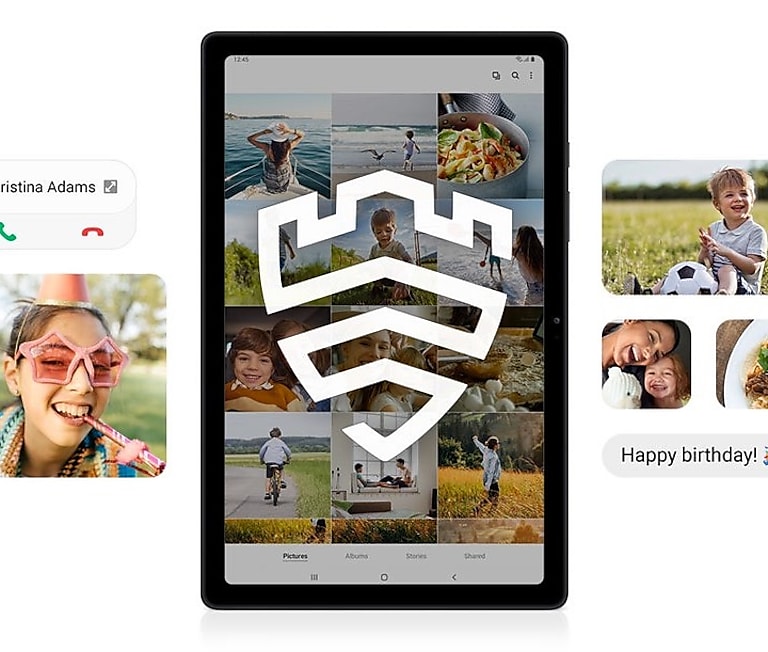
We got straight A’s in Security
Galaxy A Series helps protect your data with multilayered Knox Security. With Private Share,⁶ you can set time limits and expiration dates on all shared files so you’re always in control.
More awesome features
 On-Screen Scanner
 One UI
 Macro Lens
 Depth Camera5000mAh Battery
 Knox Security
-
Carrier
Type
Unlocked
-
Color
Color
Black
-
Processor
CPU Type
Octa-Core
CPU Speed
2.3GHz,1.8GHz
-
Display
Main Display Resolution
720 x 1600 (HD+)
Main Display Size
165.5mm (6.5″ full rectangle) / 161.1mm (6.3″ rounded corners)
Main Display Technology
PLS TFT LCD
Color Depth
16M
-
Camera
Camera resolution (Front)
5.0 MP
Camera resolution (Rear)
13.0 MP + 2.0 MP + 2.0 MP
Video Recording Resolution
FHD (1920 x 1080)@30fps
Main Camera – Flash
Yes
Main Camera – Auto Focus
Yes
Front Camera – F Number
F2.2
Main Camera – F Number (Multiple)
F2.2, F2.4, F2.4
-
Memory
Internal Memory
32GB
Available Memory
18.9GB
External Memory Support
MicroSD (Up to 1TB)
RAM Size (GB)
3GB
-
Network
2G GSM
GSM850, GSM900,
DCS1800, PCS19003G UMTS
B1(2100), B2(1900), B4(AWS),
B5(850), B8(900)4G FDD LTE
B2(1900), B4(AWS), B5(850),
B7(2600), B12(700), B13(700),
B14(700), B25(1900), B26(850),
B66(AWS-3), B71(600)4G TDD LTE
B41(2500)
SIM Slot Type
SIM 1 + SIM 2 + MicroSD
-
Connectivity
Wi-Fi Connectivity
802.11 a/b/g/n/ac 2.4+5GHz
USB
USB 2.0
Bluetooth®
Bluetooth v5.0
Location Technology
GPS, Glonass, Galileo
Earjack
3.5mm Stereo
Wi-Fi Direct
Yes
PC Sync.
Smart Switch (PC version)
USB Interface
USB Type-C
-
OS
OS
Android
-
Form Factor
Form Factor
Touch Bar
-
Sensor Type
Type
Accelerometer, Barometer, Fingerprint Sensor, Light Sensor, Proximity Sensor
-
Battery
Battery Capacity
(mAh, Typical)5000
-
Audio
Audio Playing Format
MP3, M4A, 3GA, AAC,
OGG, OGA, WAV, AMR,
AWB, FLAC, MID, MIDI,
XMF, MXMF, IMY, RTTTL,
RTX, OTA -
Video
Video Playing Format
MP4, M4V, 3GP, 3G2,
AVI, FLV, MKV, WEBMVideo Playing Resolution
FHD (1920 x 1080)@30fps
-
Services and Applications
Gear Manager
Galaxy Buds Pro, Galaxy Buds Live, Galaxy Buds+, Galaxy Buds2, Galaxy Buds, Galaxy Fit2, Galaxy Fit e, Galaxy Fit, Galaxy Watch4, Galaxy Watch3, Galaxy Watch, Galaxy Watch Active2, Galaxy Watch Active, Gear Fit2 Pro, Gear Fit2, Gear Sport, Gear S3, Gear S2, Gear IconX (2018)
-
Physical specification
Dimension (HxWxD, mm)
165.8 x 75.9 x 9.1
Weight (g) *
202
-


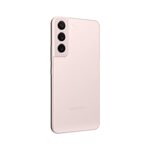
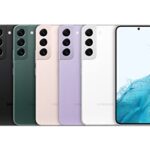

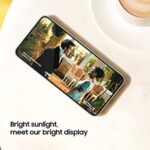
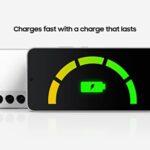
For Gen Z, video isn’t just video. They think of it as a lifestyle – a universal language for how they learn, grow, express, talk, shop, connect, create, and fight boredom with their friends in real time. That’s why they’re demanding a mobile device that finally breaks all the rules of video and makes their everyday more epic than ever. Introducing Samsung Galaxy S22, the brilliant new smartphones designed specifically to break the rules of video to meet the needs of Gen Z’s native language; video. With this new video machine, we’re setting an epic new standard. Now, you can communicate with your friends online while you simultaneously co-watch the latest new YouTube videos.**** Record your greatest nights with breathtaking low-light video like never before. Capture the true colors and contrasts of late-night parties that couldn’t be properly depicted before. And you can finally devour vids in direct sunlight with a screen that’s so bright, you’ll never have to worry about glare on the beach again. Galaxy S22 is redefining the epic standard – both for what a smartphone can do with video and for what you can communicate, create, and experience with it. In other words, if you’ve got something to say, Galaxy S22 makes it possible to say anything you want with video, at any time-even in the darkness of night. *Supports Full HD video with up to 60 fps. **Based on average battery life under typical usage conditions. Average expected performance based on typical use. Actual battery life depends on factors such as network, features selected, frequency of calls, and voice, data, and other application usage patterns. ***Wall charger sold separately; use only Samsung-approved chargers and cables. To avoid injury or damage to your device, do not use incompatible, worn or damaged batteries, chargers or cables. Supports 25W charging. ****Requires all participants have Galaxy S22 devices with Android 12 OS.
Make sure this fits by entering your model number.
8K SUPER STEADY VIDEO: Shoot videos that rival how epic your life is with stunning 8K recording, the highest recording resolution available on a smartphone; Video captured is effortlessly smooth, thanks to Auto Focus Video Stabilization on Galaxy S22
NIGHTOGRAPHY plus PORTAIT MODE: Capture the night with crystal clear, bright pics and videos, no matter the lighting with Night Mode; Portrait Mode auto-detects and adjusts to what you want front and center, making all your photos worthy of a frame
50MP PHOTO RESOLUTION plus BRIGHT DISPLAY: From elaborate landscapes to intricate creations, capture vivid detail with 50MP resolution; Your favorite content will look even more epic on our brightest display ever with Vision Booster
ADAPTIVE COLOR CONTRAST: Streaming on the go, working from your patio or binge-watching late into the night. The Galaxy S22 adaptive screen automatically optimizes color and brightness, outdoors and indoors
LONG LASTING BATTERY plus FAST CHARGING: Power every scroll, click, tap and stream all day long with an intelligent battery that works with you, not against you; Dive back into action at a moment’s notice with 25W Super-Fast Charging
PREMIUM DESIGN & CRAFTMANSHIP: With a classy, eye-catching glass-metal-glass design, we’re setting a standard for smart phones; With our strongest aluminum frame and the latest Gorilla Glass, this phone is lightweight and durable to help endure scratches and dings
LIVE SHARING w/ GOOGLE DUO: Watch viral YouTube videos and content together with your friends, from anywhere
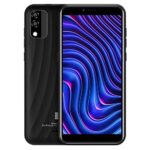
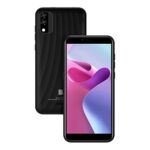
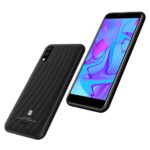

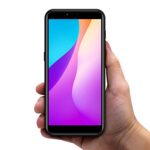
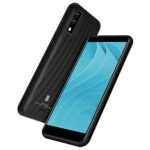
Unlocked and ready to use with your preferred GSM Carrier. Compatible with AT&T, T-Mobile, Metro PCS, and others. Sim card not included. (Not compatible with NEW AT&T or Cricket activations or with CDMA Networks like Verizon, Sprint, and Boost Mobile)
The C5 Max comes with a colorful and bright 5.7” HD+ Display that showcases all the realism of movies and photos.
With both a 5camera on the main camera and same on the selfie, all your pictures will be perfect for the social media upload.
Operating system: Android 11 (Go Edition)
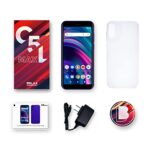
Box content: Phone, Silicone Case, Charger, Micro USB Cable, Quick Guide and Sticker.
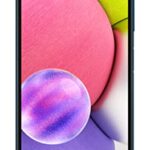



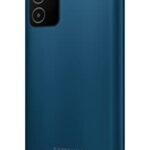

If you value simplicity, Galaxy A03s is the phone for you. That means you get the awesome essentials like a long-lasting battery, highdefinition display and multi-lens camera, all in one of our most affordable phones.
HOURS AND HOURS OF POWER: A Reliable, Long-Lasting Battery Helps You Keep Going At Your Pace
PROCESSING SPEED YOU NEED. DEPENDABILITY YOU DESERVE: When You’Re On The Go, Responsive Processing Speed Is What You Need. Galaxy A03S Has You Covered
THIS ONE’S A REAL KEEPER: Your Cherished Moments Are Essential, So Keep Them With Expandable Memory
THREE LENSES MEANS TRIPLE THE FUN: We’ve Crunched Some Numbers And Discovered That Three Camera Lenses Means Three Times The Fun

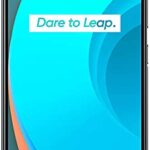
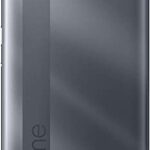
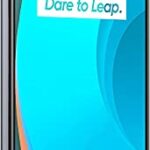
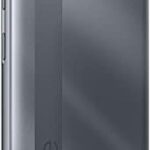

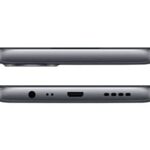
The phone comes with a 6.50-inch touchscreen display with a resolution of 720×1600 pixels. Realme C11 (2021) is powered by an octa-core Unisoc SC9863 processor. It comes with 2GB of RAM. The Realme C11 (2021) runs Android and is powered by a 5000mAh non-removable battery. As far as the cameras are concerned, the Realme C11 (2021) on the rear packs 8-megapixel camera. It sports a 5-megapixel camera on the front for selfies. The Realme C11 (2021) runs Realme UI is based on Android and packs 32GB of inbuilt storage that can be expanded via microSD card (up to 256GB) with a dedicated slot. The Realme C11 (2021) is a dual-SIM (GSM and GSM) smartphone that accepts Nano-SIM and Nano-SIM cards. It was launched in Lake Blue and Oron Grey colours. Connectivity options on the Realme C11 (2021) include Wi-Fi, GPS, Bluetooth v5.00, USB OTG, Micro-USB, 3G, and 4G (with support for Band 40 used by some LTE networks , 4G bands 1, 3, 5, 7, 8, 20, 28, 38, 40, 41 – International, HSPA 42.2/11.5 Mbps, LTE-A OS Android 11 MAIN CAMERA Dual 13 MP, f/2.2, (wide), PDAF,2 MP, f/2.4, (depth), Features LED flash, HDR, panorama Video 1080p@30fps Factory Unlocked smartphones are compatible with most of the GSM carriers (Like T-Mobile or AT&T) but please be aware that are not compatible with CDMA carriers

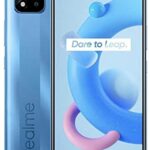
The phone comes with a 6.50-inch touchscreen display with a resolution of 720×1600 pixels. Realme C11 (2021) is powered by an octa-core Unisoc SC9863 processor. It comes with 2GB of RAM. The Realme C11 (2021) runs Android and is powered by a 5000mAh non-removable battery. As far as the cameras are concerned, the Realme C11 (2021) on the rear packs 8-megapixel camera. It sports a 5-megapixel camera on the front for selfies. The Realme C11 (2021) runs Realme UI is based on Android and packs 32GB of inbuilt storage that can be expanded via microSD card (up to 256GB) with a dedicated slot. The Realme C11 (2021) is a dual-SIM (GSM and GSM) smartphone that accepts Nano-SIM and Nano-SIM cards. It was launched in Lake Blue and Oron Grey colours. Connectivity options on the Realme C11 (2021) include Wi-Fi, GPS, Bluetooth v5.00, USB OTG, Micro-USB, 3G, and 4G (with support for Band 40 used by some LTE networks , 4G bands 1, 3, 5, 7, 8, 20, 28, 38, 40, 41 – International, HSPA 42.2/11.5 Mbps, LTE-A OS Android 11 MAIN CAMERA Dual 13 MP, f/2.2, (wide), PDAF,2 MP, f/2.4, (depth), Features LED flash, HDR, panorama Video 1080p@30fps Factory Unlocked smartphones are compatible with most of the GSM carriers (Like T-Mobile or AT&T) but please be aware that are not compatible with CDMA carriers

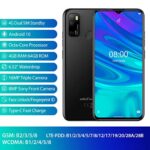
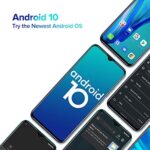

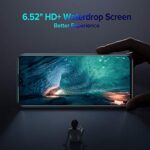
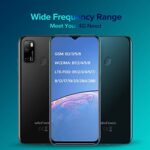

 Android 10 OS; 4GB RAM + 64GB ROM Micro SD up to 256GB; MT6762 Octa-core 64-bit 1.8GHz Ultra-Large 6.52-inch Waterdrop Screen 2.5D curved glass; 4500mAh with OTG function 16MP Triple Rear Camera: 16MP primary lens, 5MP macro lens and a 2MP lens; 8MP Front Camera 3 independent card slots for dual Nano SIM and 1* TF card 4G LTE (1/2/3/4/5/7/8/12/17/19/20/28A/28B) 3G: (B1/2/4/5/8): US compatibility Nationwide on most of GSM Networks including AT&T, T-Mobile, Metro PCS, and others. (Not compatible with Cricket activations or with CDMA Networks like Verizon, Sprint, and Boost Mobile)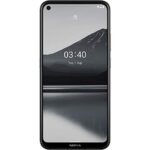
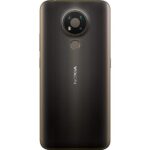


Color:Charcoal
Upgrade to more phone and more power with Nokia 3.4. Maximize your streaming, binging and work on a 6.39-inch HD+ screen–with punch hole display that gives you even more screen real estate. Don’t sweat running out of juice with 2-day battery life. Get the perfect shot with powerful triple camera AI imaging–and take photos to the next level with Portrait mode, Night mode, and an ultra-wide camera. Nokia 3.4 gives you style and durability all in one, plus easy access with fingerprint unlock. Plus, you can enjoy the latest Android features and security with 3 years of monthly security updates and 2 years of software upgrades. Which means you’ll get more out of your phone, for longer. HMD Global Oy is the exclusive licensee of the Nokia brand for phones & tablets. Nokia is a registered trademark of Nokia Corporation. Compatibility: This device is designed to work with GSM carriers. This product will not support Verizon or Verizon subsidiaries. Please confirm compatibility with your chosen carrier before purchasing. For support with SIM card or network related issues, please contact your carrier for assistance in connecting your device to the chosen compatible network. Supported Network bands: 2G: 850 / 900 / 1800 /1900 3G: 850 / 900 / 1700(AWS) / 1900 / 2100 4G/LTE: 1, 2, 3, 4, 5, 7, 8, 12, 17, 13, 28, 66 Charging: This product is designed to be charged using the charging adapter and charging cable that are provided in the product box. Charging this device with any other charging adapter or cable may cause device malfunction. Please observe basic safety steps when charging this device and do not charge this product with malfunctioning or damaged equipment. Current Software Version: Android 10 Bluetooth Version/Range: 4.2 – 30’ Range FAQ How can I install available updates? In many cases updating your product to the latest software version will alleviate any issues experienced. To update your device please navigate to Settings > System > System update > Check for update to check if updates are available. Follow the on screen prompts to install the latest software version if available.= How can I close an app that has stopped working? Open Settings on your phone and select Apps. Then find the app you’re having issues with and select Force Stop. I want to conserve battery life. How can I activate the Power Saver mode? On your phone, open Settings, then choose and activate Battery Power Saving. Please also be aware that battery life depends on a variety of factors such as device usage frequency, application requirements, your current operating system, and cellular signal strength. How can I back up my files? Navigate to Settings > System > Backup, and switch backup on. How can I reset my smartphone’s network settings? Navigate to Settings > Network & Internet > more_vert > Reset. Performing this reset may help if you’re having connection issues. How do I connect my phone to my carrier network? If your Nokia phone and network are compatible, place your SIM card in the SIM card tray using the included SIM card removal tool to open the SIM tray. Once your SIM card has been inserted into the device, power on your phone and proceed through the product setup steps. If you are not able to connect to your network after finalizing the product setup, please contact your carrier support for additional assistance as every carrier has different steps to assist you in ensuring your product connects to their compatible network. How can I ensure other people hear me on my microphone? If you are experiencing microphone issues with your device and your product has a Google Assistant button, please ensure that the Google Assistant button is not stuck or dirty as this will cause the microphone to not function as intended. If the Google Assistant button is not obstructed, please ensure that there is no dirt or debris in the headphone port of your product. If the headphone port is also clear, please disable the microphone permission of the Google Assistant, by going to Settings > Apps & Notifications > Google App > Permission > Microphone > Deny. How can I turn up the volume to my speaker? First, please ensure that there is no dirt or debris in the headphone port of your product. If your headphone port is clear, please make sure that “Do Not Disturb” is not enabled. To disable this setting, navigate to Settings > Do not disturb. Make sure this is toggled off. If Do Not Disturb is off, navigate to Settings > Sounds and vibration > Volume > move the Media slider to the right to increase volume and test your speaker. If you are still not able to hear any audio, check the settings of the application that you are using from the Settings menu as many applications will have their own volume settings. Why is my phone feeling warm, closing apps or occasionally slowing down? During extended operation, the device may feel warm. In most cases, this is normal. To avoid getting too warm, the device may automatically slow down, dim display during a video call, close apps, switch off charging, and if necessary, switch itself off. If the device is not working properly, take it to the nearest authorized service facility. How do I reboot my smartphone when it’s not responding? If your phone is unresponsive, you can perform a “soft reset” by pressing the volume up key and the power button simultaneously for about 15 seconds (or until phone vibrates). Your phone should then restart momentarily. This is a safe and quick way to reboot your device without losing or erasing any data. My phone won’t charge. What should I do? First ensure the issue isn’t with the power source or socket you’re using – you can quickly check this by plugging your phone into a different outlet, then checking if it charges. If the socket is not the issue, try taking a closer look at the power cable or charging port on your phone, ensuring everything appears as it should. Then, try turning your phone off completely and plugging it into the socket – bear in mind if the battery is completely drained, it might take up to 2 or 3 minutes to start charging. How can I contact support? Our customer support page offers a number of ways that you can contact support. Please visit the Nokia website for further assistance. How do I fix touch sensitivity issues on my phone? Before performing any additional troubleshooting steps, please ensure that your product does not show any physical damage, has not been exposed to water, the screen is clean, and your fingers and hands are not wet or dirty. Please also remove any 3rd party screen protectors that you may have on the device as non Nokia branded screen protectors may decrease the touch sensitivity of the device. If none of these solutions resolve the issue that you are facing, please perform a hard reset back to factory settings. Please note: a hard reset will completely erase all the data, settings and content on your smartphone, returning it to the original factory settings. We strongly advise that you back up your device before a hard reset. Visit here to learn more about how to back up your smartphone remotely. To reset your smartphone and erase all its content, first make sure your phone is connected to a power source. We also recommend that your battery is at least 50% charged when you perform a hard reset. Press the volume up key and the power button simultaneously for about 30 seconds or until the root menu appears. Then choose the action you want to take from the root menu, in this case “Wipe data/factory reset”. Alternatively, you can also perform a hard reset by tapping Settings > Backup & Reset > Factory data reset > Reset phone > Erase everything.
Get up to 70% better performance compared to previous generations, thanks to the newest Qualcomm Snapdragon 460 mobile platform.
Enjoy all your favorite entertainment in 6.39-inch immersive HD+ with punch hole display for maximized screen real estate.
Charge less and get up to two days on a single charge with the Adaptive Battery. Capture the perfect shot with triple camera AI imaging, Portrait mode, Night mode and the ultra-wide lens.
Take in a truly timeless design that’s built to last, with a durable 3D Nano-textured rear cover and stunning finish in living colors.
Compatibility: This device is designed to work with GSM carriers. This product will not support Verizon or Verizon subsidiaries. Please confirm compatibility with your chosen carrier before purchasing. For support with SIM card or network related issues, please contact your carrier for assistance in connecting your device to the chosen compatible network.
Includes the Nokia 3.4 smartphone, Quick start guide, charger, Type-C USB cable, and SIM tray tool.